The Dynamic Duo: Cameras and ToF Sensors
To understand the upgrades, it helps to know how these two components work together.
Cameras act as the "eyes" of the projector, analyzing shapes, colors, patterns, and boundaries (like the edge of a projection screen or a light switch on the wall).
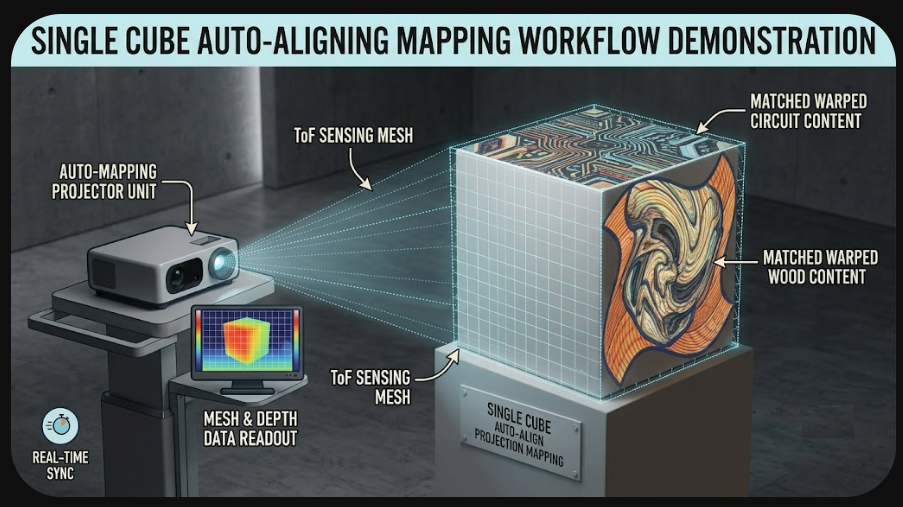
ToF Sensors act as a highly accurate depth-perception tool. They emit an invisible pulse of light (usually infrared) and measure exactly how long it takes for that light to bounce back. This creates a real-time, 3D depth map of the room.
When projector manufacturers combine these two data streams, the projector gains spatial awareness, allowing it to perform some incredibly smart automated tasks:
1. Instant Auto-Keystone Correction
The Old Way:
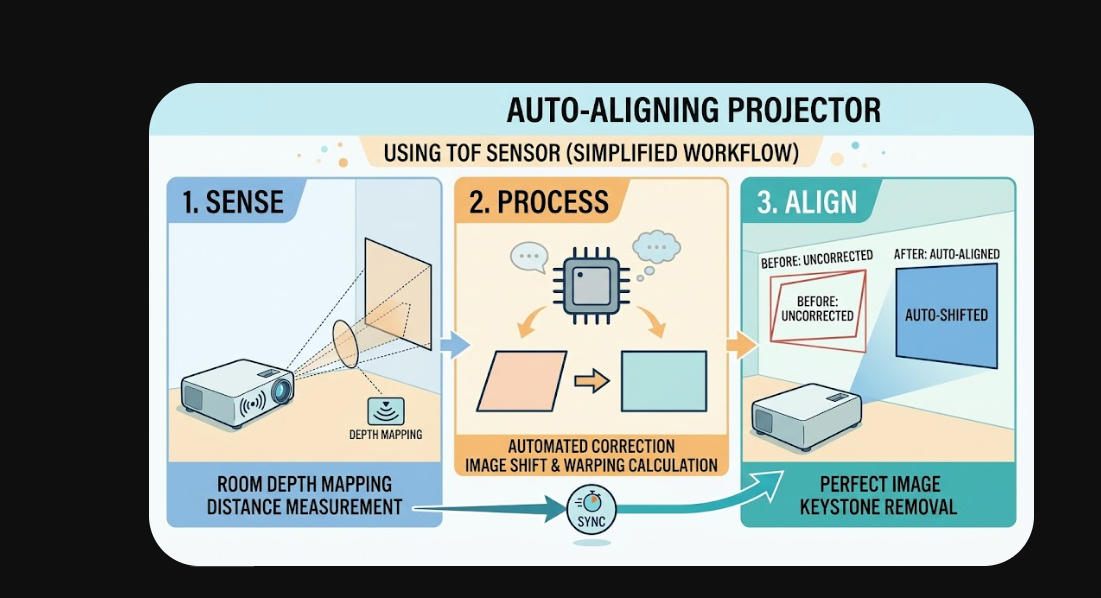
If you didn't place a projector perfectly dead-center and level with the screen, the image would look like a trapezoid. You had to manually adjust the physical legs of the projector or dig through menus to digitally warp the corners back into a rectangle.
The New Way:
Using the ToF sensor, the projector instantly measures the distance to multiple points on your wall or screen. It calculates the exact angle at which it is sitting relative to the wall. The internal processor then digitally corrects the geometry in fractions of a second, snapping the image into a perfect 16:9 rectangle, even if the projector is sitting on an uneven table or angled off to the side.
2. Auto Image Shifting and Obstacle Avoidance
Intelligent Screen Fit:
If you are projecting onto a fixed, bordered screen, the built-in camera scans the wall to find the black borders of your screen. It then automatically zooms, shifts, and scales the projected image so it fits perfectly within those borders—no manual zooming or physically nudging the projector required.
Smart Obstacle Avoidance:
If you are projecting directly onto a living room wall, there might be a light switch, a thermostat, or a picture frame in the way. The camera and ToF sensor detect these objects and automatically shrink and shift the image to a clean, blank area of the wall, ensuring your movie isn't projected over your houseplant.
3. Advanced Eye Safety (Laser Dimming)
The Problem:
Modern laser projectors—especially Ultra-Short Throw (UST) models that sit right below the screen—are incredibly bright. If a curious toddler or a pet looks directly into the lens, it can cause severe eye damage.
The Solution:
ToF sensors are incredibly fast at detecting motion and proximity. If the sensor detects a moving object (like a person or an animal) entering a pre-defined "danger zone" near the lens, the projector will instantly dim the laser to a safe level or shut off the light source completely. Once the person moves away, the projector resumes normal brightness.
The Bottom Line
These sensors are fundamentally changing projectors from permanent, strictly calibrated home theater fixtures into highly portable, flexible devices. You can pick up a modern smart projector, drop it on a coffee table at a weird angle, and within three seconds, it will give you a perfectly rectangular, focused, and safe image.